







Step 1
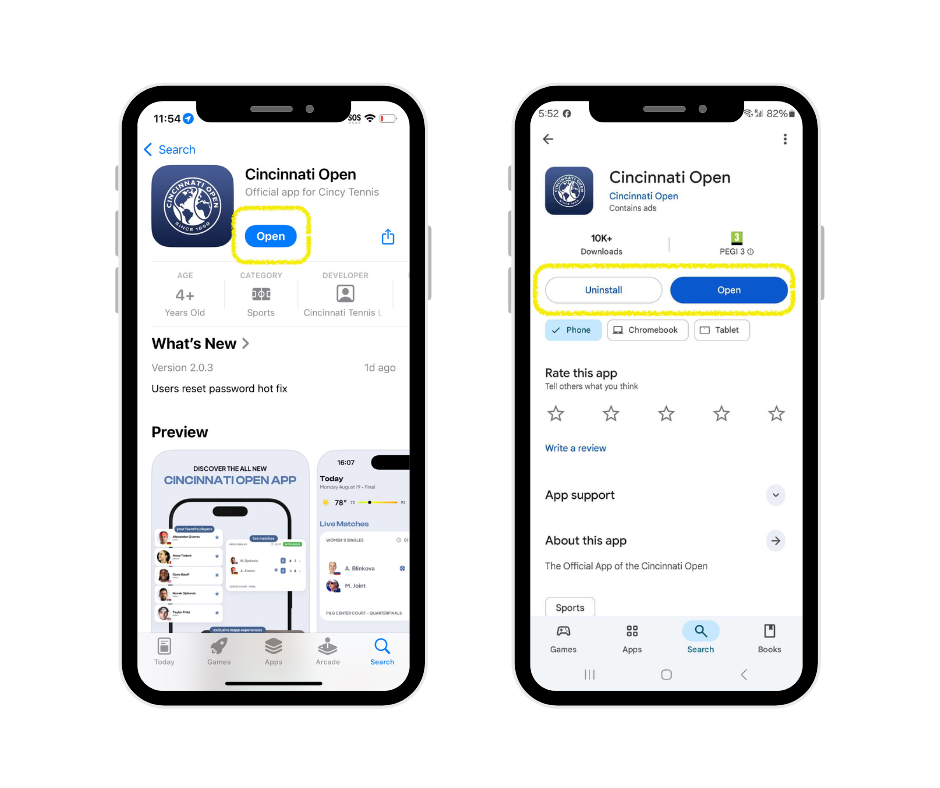
Open the App Store on your phone, search “Cincinnati Open”.
Step 2
Make sure you have the latest version of the app.
- If you see an “Open” button, your app is up to date.
- If you see an “Update” button, tap it to install the most current version.
Step 3
Try logging in again after updating.
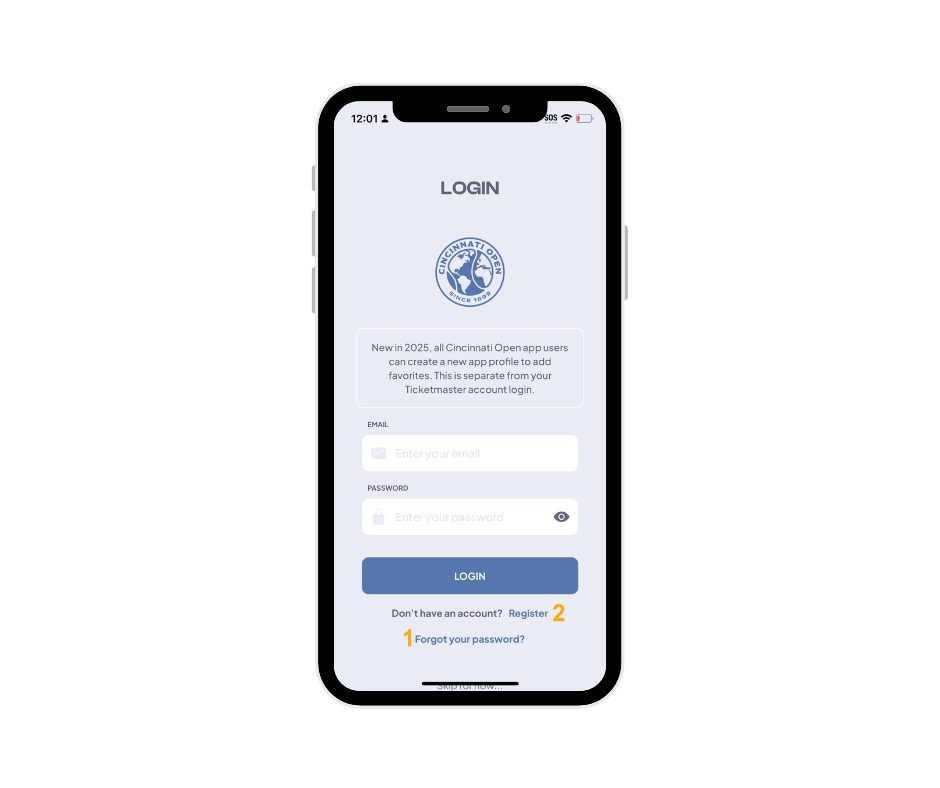
If you’re unable to log in, you may need to tap “Forgot password?” (labelled “1” in the screenshot below) to receive a password reset link.
Once you’re logged in, any favorite players, activities, or preferences you selected this year will be saved and ready for you.
More help
If you see a message stating that your email isn’t recognized, it means you don’t yet have an account with the app. Tap “Register” (labelled “2” in the screenshot) to create one.
Note: The app login is separate from your Ticketmaster account login.
If you are trying to log in to view and manage your tickets, please see the Mobile Ticketing Guide.